Software Connect SaaS Provisioning
Light My Way SaaS environments can be provisioned and maintained automatically from TECHNIA Software Connect.
When a Light My Way SaaS subscription is created or updated in Software Connect, the integration provisions the corresponding Light My Way environment, environment owners and subscription information.
Software Configuration
The Light My Way software entry in Software Connect must be configured for SaaS subscription licensing.
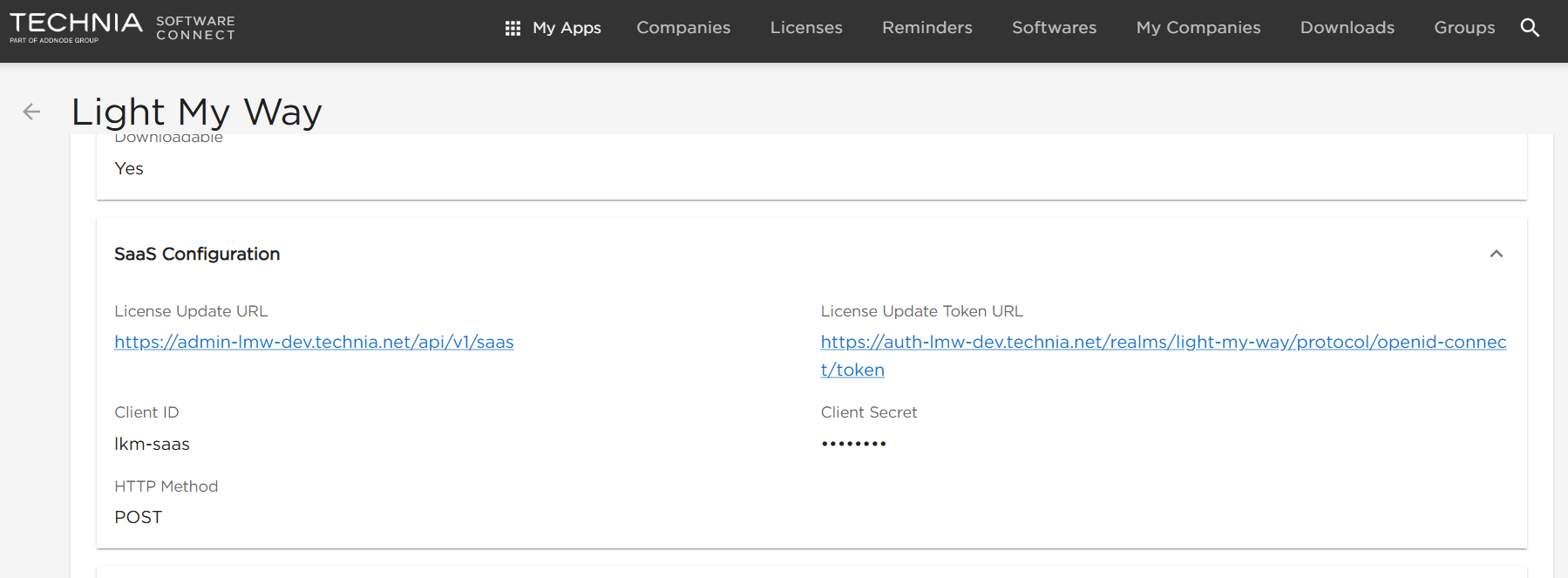
The SaaS configuration contains:
| Setting | Description |
|---|---|
| License Update URL | Light My Way SaaS provisioning endpoint |
| License Update Token URL | Authentication endpoint used to obtain the machine-to-machine access token |
| Client ID | OAuth client used by Software Connect, normally lkm-saas |
| Client Secret | Secret associated with the OAuth client |
| HTTP Method | POST |
The environment-specific URLs and client secret are provided as part of the Light My Way deployment configuration.
Security: The client secret must be stored securely and must not be committed to source control.
Creating a SaaS Subscription
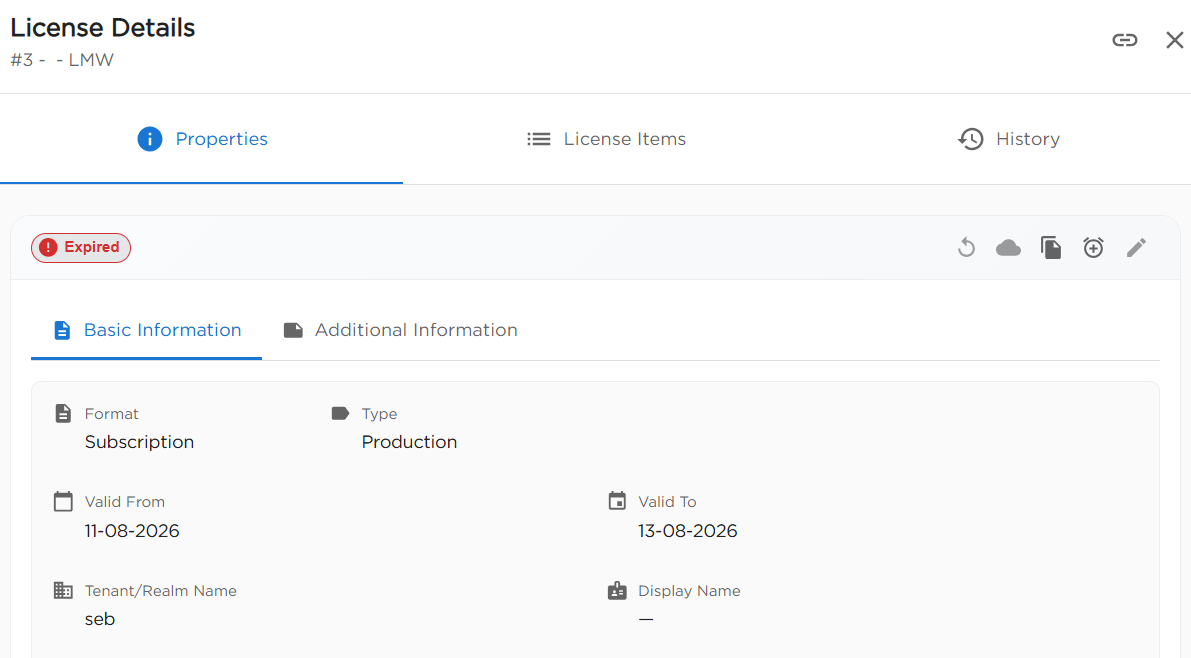
Create the Light My Way license as a SaaS subscription in Software Connect.
The Tenant/Realm Name identifies the Light My Way environment to provision and should be unique for each separate Light My Way environment.
The license validity dates and licensed user quantity are synchronized with the Light My Way subscription.
Environment Provisioning
When Update SaaS is triggered, Light My Way creates the environment if it does not already exist.
Provisioning includes:
- the Light My Way tenant database and connection
- the initial repository
- the tenant organization in Keycloak
- environment owner accounts and access
- the Light My Way subscription, including licensed user quantity and validity dates
Subsequent updates for the same tenant reuse the existing environment and update the subscription rather than creating duplicate resources.
Environment Owners
The users supplied by Software Connect are provisioned as Light My Way environment owners.
For the initial SaaS update, Software Connect uses the configured SaaS environment owners. If no owners have yet been stored on the license, the company's contact persons are used as the initial owner list.
After successful provisioning, those users are stored on the license as the SaaS environment owners.
Adding another company contact later does not automatically grant that person access to an already provisioned Light My Way environment.
User Onboarding
If an environment owner does not already exist in Light My Way:
- A Keycloak account is created.
- The user is added to the tenant organization.
- Light My Way administrator access is assigned.
- A setup email is sent to the user.
- The user follows the email link to complete their profile and choose a password.
- The user is redirected to Light My Way.
Existing Keycloak users are reused and added to the new environment where required.
Setup emails are sent only when a new account is created. Re-running Update SaaS does not resend setup emails to existing users.
If delivery of the initial setup email fails, the environment remains provisioned and the setup email can be resent by an administrator from Keycloak.
Subscription Updates
Running Update SaaS again synchronizes the existing Light My Way subscription.
Updates can include:
- licensed user quantity
- valid-from date
- valid-to date
- subscription enabled or disabled state
The existing tenant database, organization and user accounts are reused.
Provisioning Result
After successful provisioning, Software Connect stores the Light My Way environment reference returned by the integration.
Software Connect can then query the environment to determine whether it exists, whether it is enabled and whether the subscription is currently effective.
Provisioning failures are returned to Software Connect with the corresponding error information so that failed updates can be diagnosed without creating duplicate environments.